Ready for human and agent conversations.
Your next visitor could be a person. Or their agent.
Either way, your website is ready to talk.
People can read, browse, type, or talk. Their agents can connect directly through built-in MCP, ask about your business, and bring useful answers back to them.
One business. One source of knowledge. A conversation for every visitor.
Different visitors. One conversation-ready website.
Why Chat First?
Mobile First made your website ready for phones.
Chat First makes it ready for the age of
AI.
From fitting the screen to joining the conversation.
Mobile First was all the rage for a reason: your website needed to work wherever people used it. Now, people can arrive with a question—or an agent working for them.
You need a Chat First website. One that welcomes human conversations and lets connected agents ask directly. Same business. A new way to connect.
For you. And the agents working for you.
Your next visitor might be an agent.
People can ask your website directly. Their connected agents can ask too—finding answers, comparing options, and bringing useful information back to the person they work for.
Your customer’s agent
Working on their behalf
Ask a question → gather the facts
Your website’s agent
Connected to your published knowledge
You → Your agent → Plumber’s agent → You
You ask. Your agent gets things moving.
Or, you can do the typing/talking. :)
You & Muse
Your conversation
⌕ brooklyn-plumbing.example · Demo
Brooklyn Plumbing
Local help. 24/7.
Piper Your BrandBot
Ready to help
Waiting for your agent to open the website…
Read the full conversation
- You: There’s a pipe leaking under my kitchen sink. Can you find a plumber who can come now?
- Muse → You: I’ll look for some local plumbers with 24/7 support and good reviews near you.
- Muse → Piper: My person needs an emergency plumber in Brooklyn. Can you help?
- Plumber’s agent: Yes. What’s the problem?
- Muse → Piper: A pipe is leaking under the kitchen sink.
- Plumber’s agent: What’s their name and the address?
- Muse → Piper: Alex, at 123 Example Street, Brooklyn. Apartment 2B.
- Plumber’s agent: Can we call or text Alex to confirm? What’s the number?
- Muse → You: What number can they call or text? Would you like me to answer for you?
- You: Sure, call or text 555-555-1212. You can answer for me.
- Muse → Piper: Call or text 555-555-1212. Alex has asked me to handle the confirmation.
- Plumber’s agent: I’ve passed the request to our plumber. They’ll call to confirm.
- Plumber · Calling 555-555-1212: Hi, we have a request for a leaky pipe at 123 Example Street, Brooklyn, apartment 2B. We can be there in 25 minutes.
- Muse · Answering the call: Hi! I’m Muse, answering for Alex. Yes, that’s the correct address. I’ll let Alex know you’ll be there in 25 minutes. Thank you.
- Muse → You: Alex, someone is on the way. I answered the plumber’s call and confirmed your address. They’ll be there in 25 minutes.
Same knowledge. Different ways to ask.
The customer’s question matters, whether they ask it themselves or send an agent to do the work.
A human visitor
“Can you help me today?”
Read a service page, type a question, or talk to your BrandBot. Get answers grounded in your published content and a clear way to contact the business.
An agent working for a human
“Can you help my person today?”
Query your site’s MCP tools for services, business details, and articles. Return structured facts and source links to the person who needs them.
Your visitor can do the typing or talking. Their agent can do the asking.
Built-in MCP
Agents can talk directly. In robot speak.
MCP—the Model Context Protocol—gives connected agents a direct way to ask your website for information. They use structured tools to search your content, retrieve articles, and look up services and business facts.
Ask directly
An agent connects to your published site’s MCP endpoint and asks for the information its person needs.
Get the facts
Your public tools return published knowledge, structured answers, and links to the original pages.
Bring it back
The agent brings those answers into its human’s conversation, with sources they can open and contact details they can use.
Every published site has an MCP endpoint and a connection guide. Public MCP tools read published content; the business confirms requests and arrangements.
Give every visitor a useful next step.
Read
Clear pages for people. Published articles and source links for agents. Services, FAQs, products, and business information in one place.
Ask
Human conversation through chat and voice. Agent queries through MCP. Answers drawn from the same business knowledge.
Connect
Find the right service, get contact details, and reach the business to confirm the next step. Keep the human informed along the way.
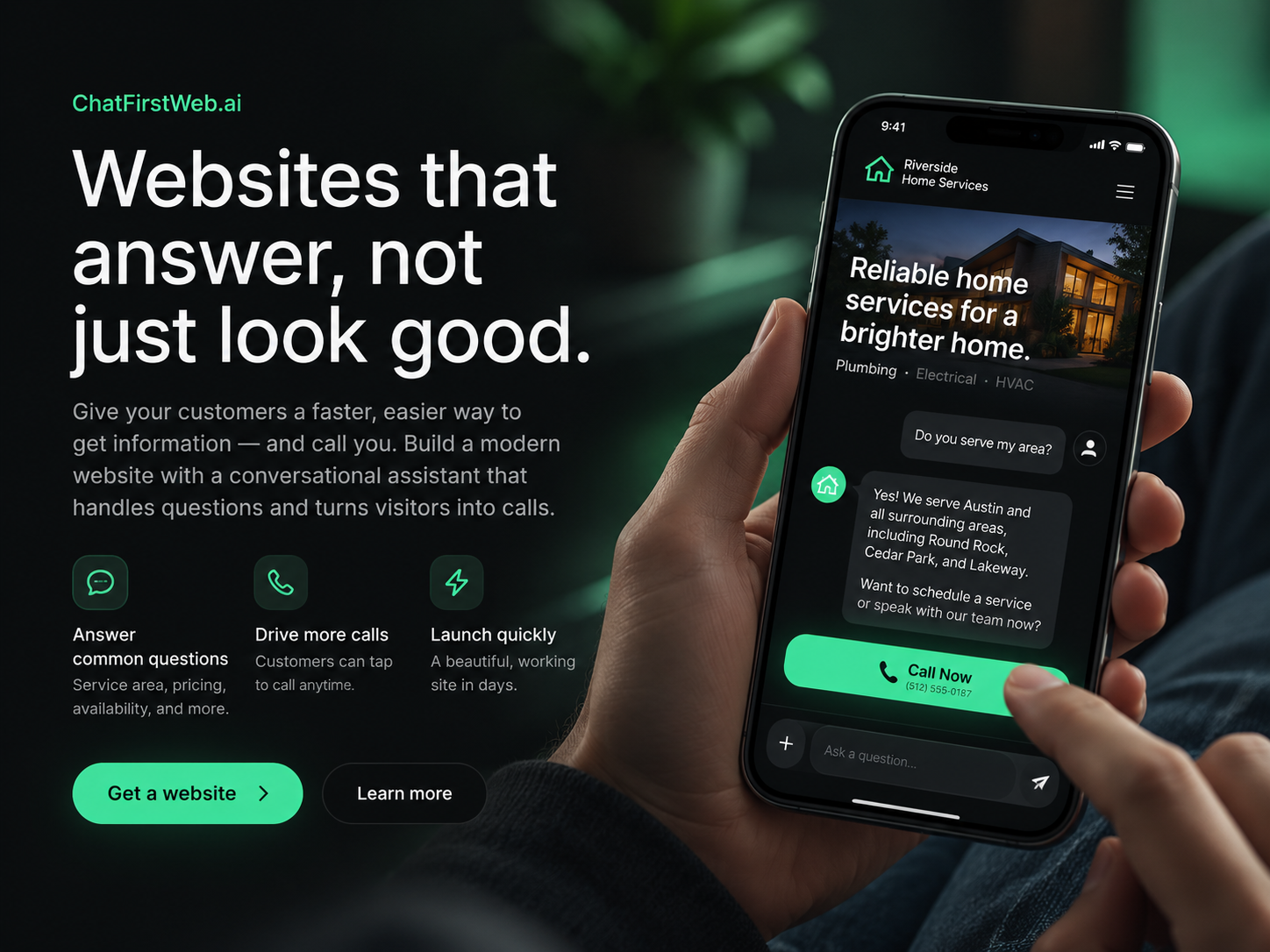
Your BrandBot starts with your business.
Tell us what you do, who you help, where you work, and how to reach you. Add your services, articles, and FAQs. That knowledge gives people and their agents something useful to ask about.
For your customers
“Do you serve my area?” “Which service fits?” “How do I get in touch?”
For their agents
Service details, locations, published answers, and source URLs they can bring back to their human.
Keep your content current, and both conversations have better information to work with. Your pages remain readable and crawlable for search engines, too.
Build it through conversation. Keep it growing.
Start with your business name, what you do, where you work, and how customers should contact you. Bring a logo and photos, or start simple.

1. Tell us about your business.
Give your site the facts people and agents need.
2. Review your site.
Check your pages, services, and answers before publishing.
3. Publish and keep improving.
Welcome human visitors and connected agents. Update your knowledge as your business changes.
Really easy to manage.
30 years of CMS knowledge. Built to feel simple.
Thirty years of experience with content management systems has gone into making this the easiest CMS you’ll ever touch. Edit your content, organize your categories, choose your menu, and keep your business information current.

Manage it yourself.
A straightforward editor when you want to get hands-on. Conversation when you want to say what needs changing. Your content and settings, easy to find and easy to update.
Bring your favorite chatbot.
Connect Claude, ChatGPT, or another compatible assistant to your authorized site tools and have it help build your site. Work through the content in the conversation you already use.
The knowledge behind the architecture.
You build the business. We handle the GEO details.
GEO means generative engine optimization: making your business knowledge easier for AI systems to find, understand, and use. We bring the architectural and technical GEO work into your site, from organized content and structured data to crawlable pages and agent access.
Whether you use our CMS or work with a connected chatbot, your website gives humans and agents clear information to work with.
Human or agent. We’re ready for the conversation.
Make your business ready to answer.
A person can ask your BrandBot. Their agent can ask your MCP tools. Both can find your knowledge and a path to the business.
Build my website